
- Open your account and click Settings
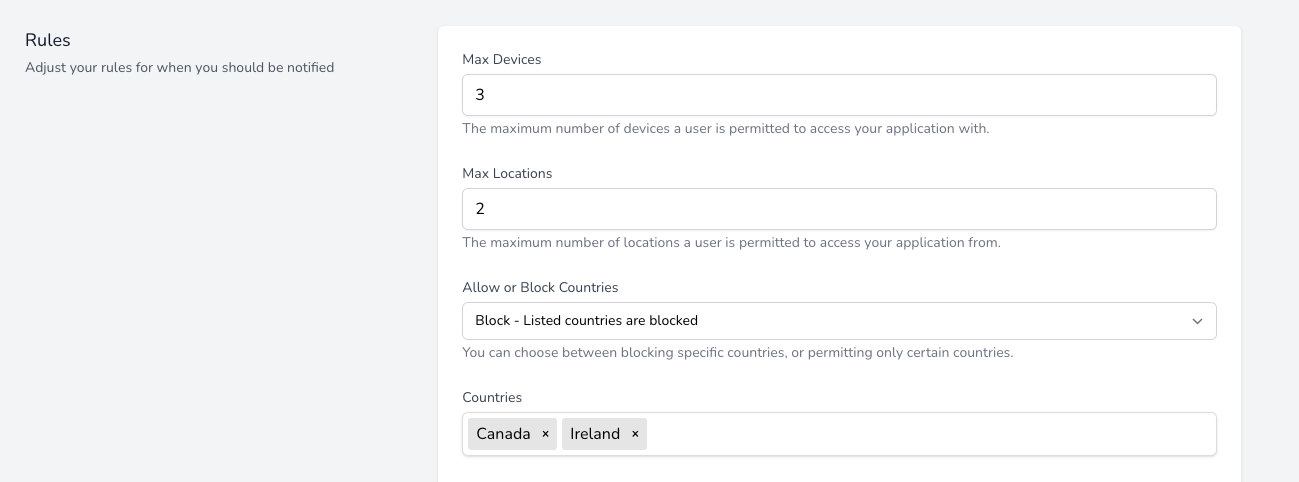
- Select Block as the option for Allow or Block Countries
- Search for the countries you wish to block
- Click Save
In this example, any student that accesses your course from Canada or Ireland will trigger an alert
Use Cases
- Your content is only sold in certain regions and you do not want students from outside of these regions accessing your course.
- You are concerned about copyright in certain regions and want to prohibit access.