
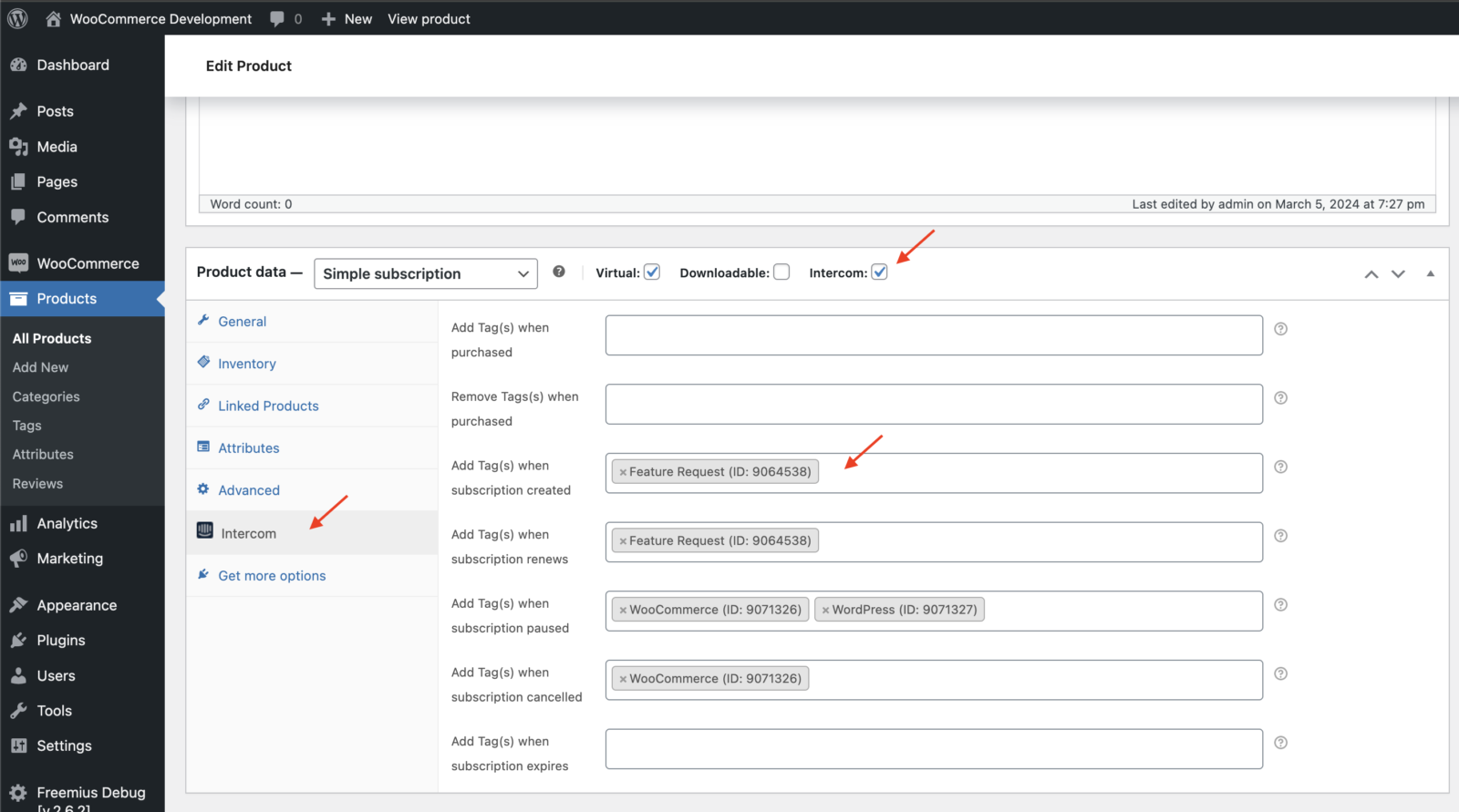
Our plugin can add tags to a contact in Intercom when:
- A subscription is created in WooCommerce
- A subscription is renewed in WooCommerce
- A subscription is placed on hold / paused in WooCommerce
- A subscription is cancelled in WooCommerce
- A subscription expires in WooCommerce
- Check the Intercom box, and then click Intercom in the sidebar.
2. Enter the tags you wish to add during specific events e.g. Renewals, Cancellations etc
Important
- Tags are added 15 minutes after an event; e.g. If a subscription is put on hold at 1 pm, the tag will be applied at 1:15 pm. This time gap is to prevent tags from being applied as subscriptions are renewed, edited, etc.
- Purchase tags, as highlighted below, are only added or removed for the initial order, not subsequent renewal orders etc.
